Debit Note
The Debit Note section allows you to view and manage billing statements for employee benefits and expense reimbursements.
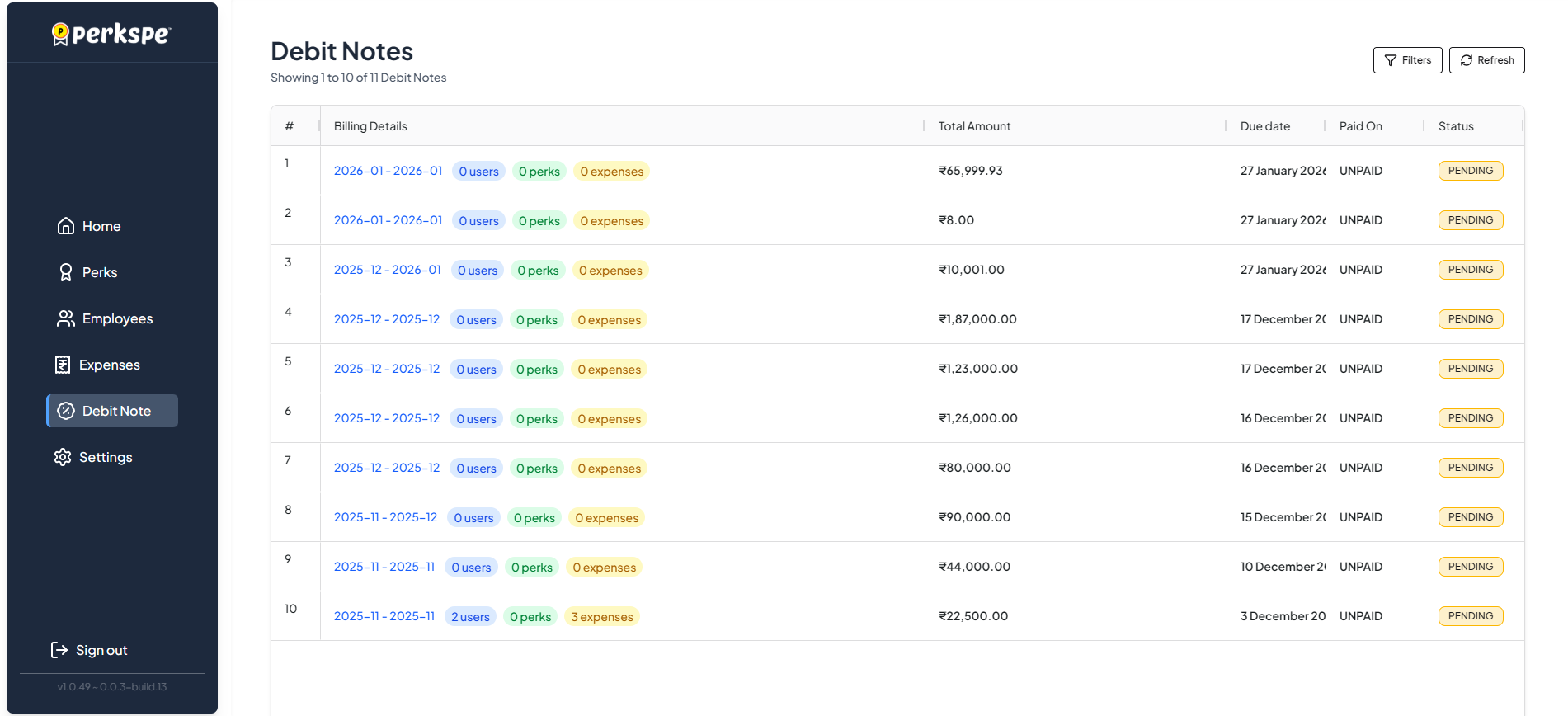
Dashboard Overview
The main dashboard provides a list of all debit notes generated.
| Column | Description |
|---|---|
| Billing Details | The billing period (e.g., 2026-01 - 2026-01) and a summary of users, perks, and expenses included. |
| Total Amount | The total amount due for that period. |
| Due Date | The date by which payment is expected. |
| Paid On | The date payment was received (if applicable). |
| Status | Current status of the note (e.g., PENDING, PAID). |
You can use the Filters button to narrow down the list or Refresh to get the latest data.
Debit Note Details
Clicking on a specific row opens the detailed view of that debit note.
1. Overview
The Overview tab displays the primary billing information.
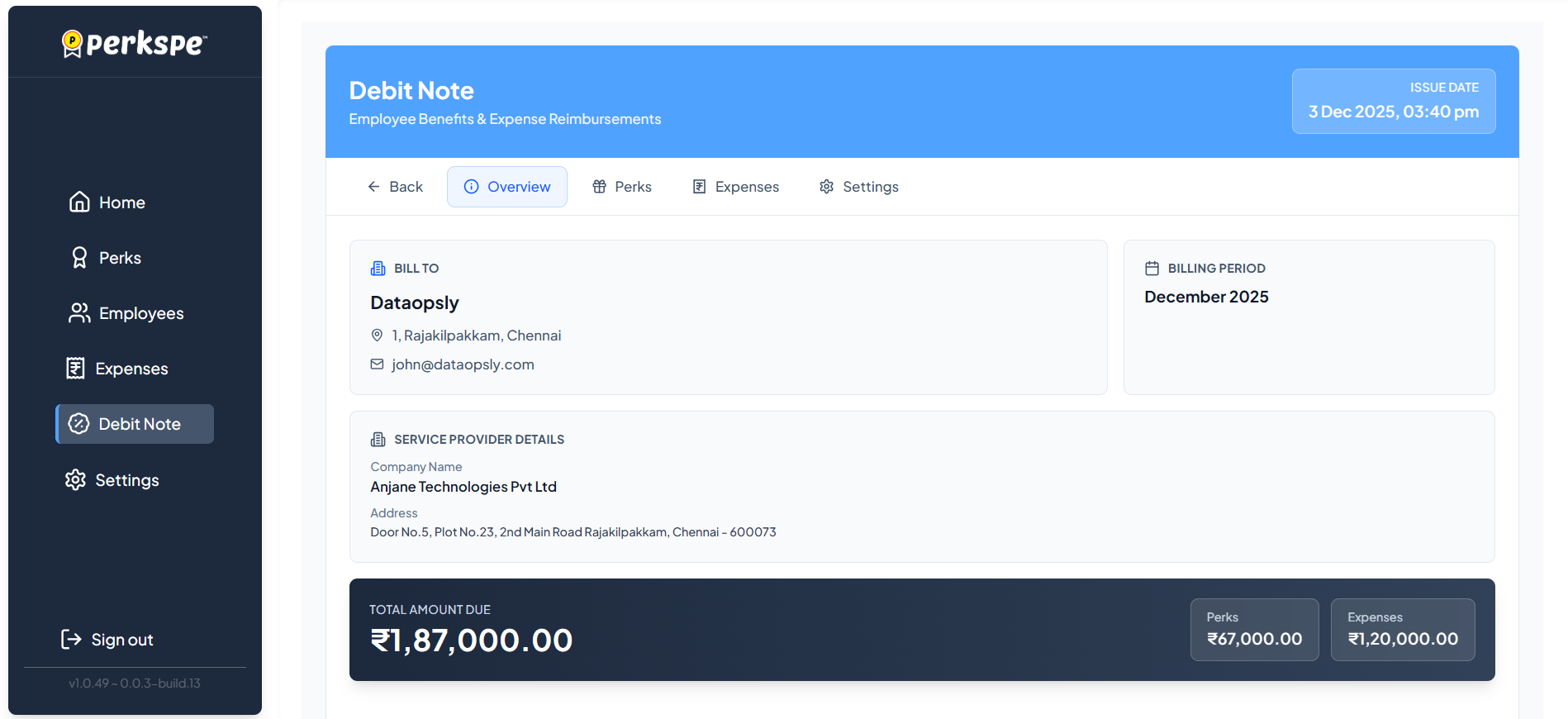
- Bill To: Your company details and contact information.
- Billing Period: The month and year for which the note is generated.
- Service Provider Details: Information about the service provider (Google/PerksPe).
- Total Amount Due: A summary of costs for Perks and Expenses.
2. Perks Breakdown
The Perks tab lists the detailed breakdown of costs associated with employee perks.
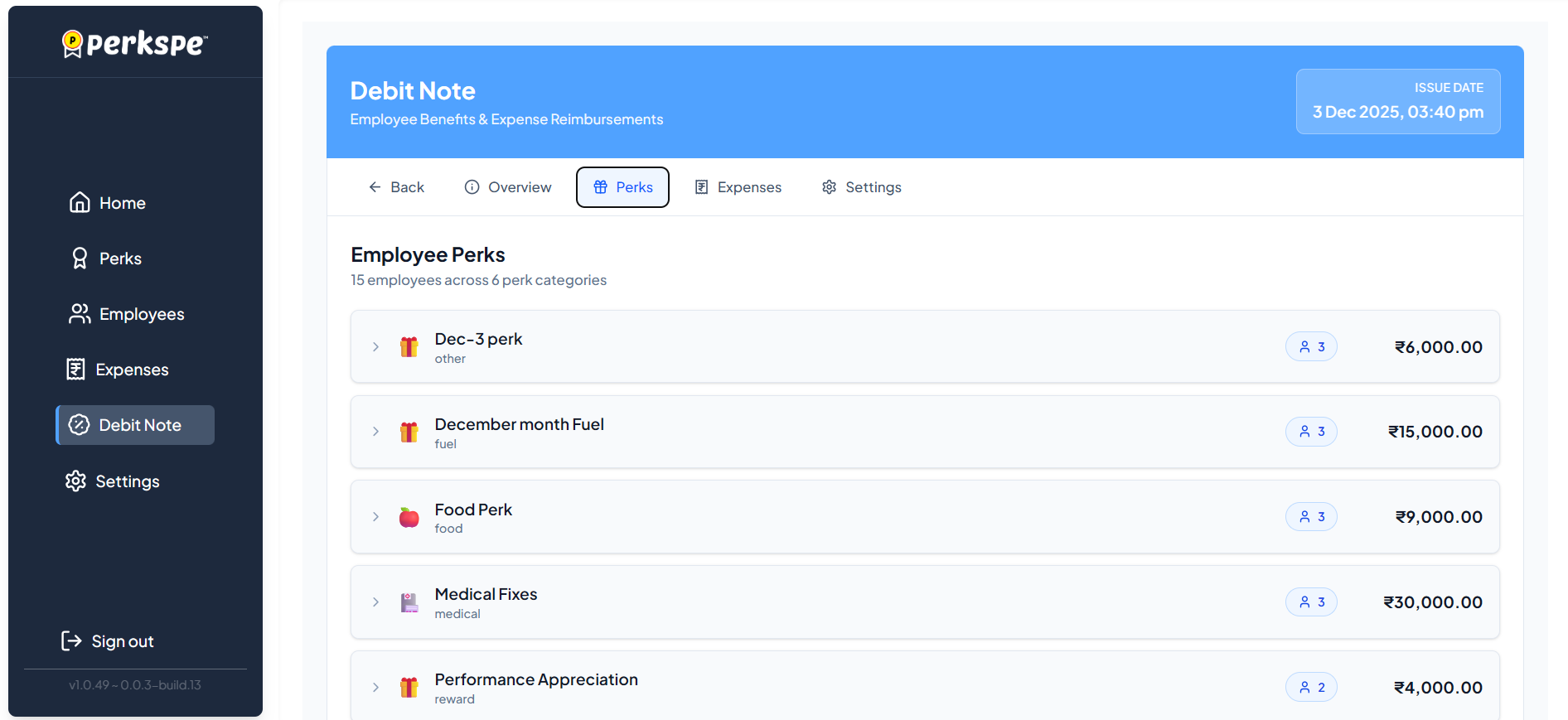
It shows:
- Perk Name: The specific benefit (e.g., Food Perk, Medical Fixes).
- Employee Count: How many employees received this perk.
- Amount: The total cost for that specific perk category.
3. Expense Reimbursements
The Expenses tab details the reimbursements processed during the billing period.
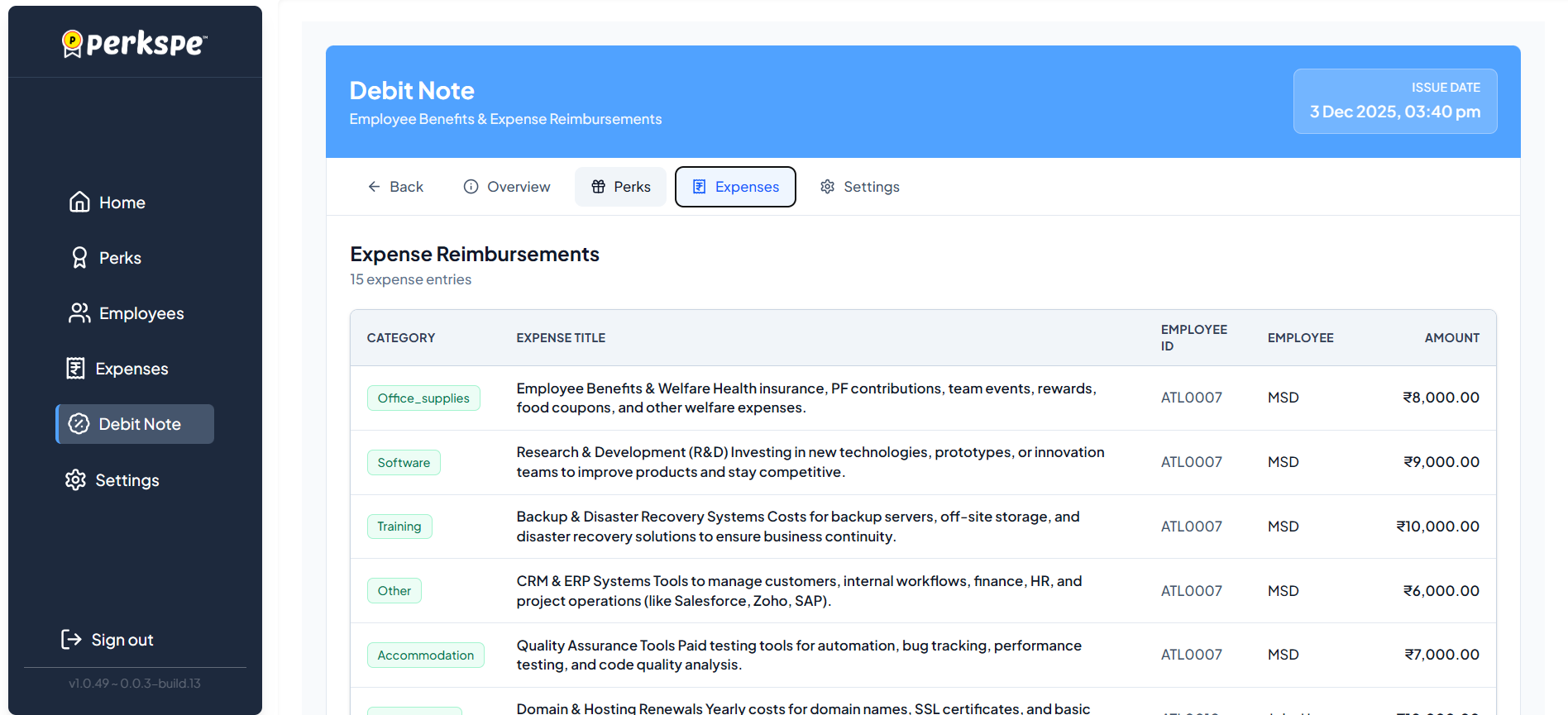
It lists individual expense entries with:
- Category: (e.g., Office Supplies, Software, Training).
- Description: Details of the expense.
- Employee: The employee claiming the expense.
- Amount: The reimbursed value.
4. Export & Download
You can download the debit note for your records or finance team.
- Click the Settings tab (or check for download options).
- Choose your preferred format:
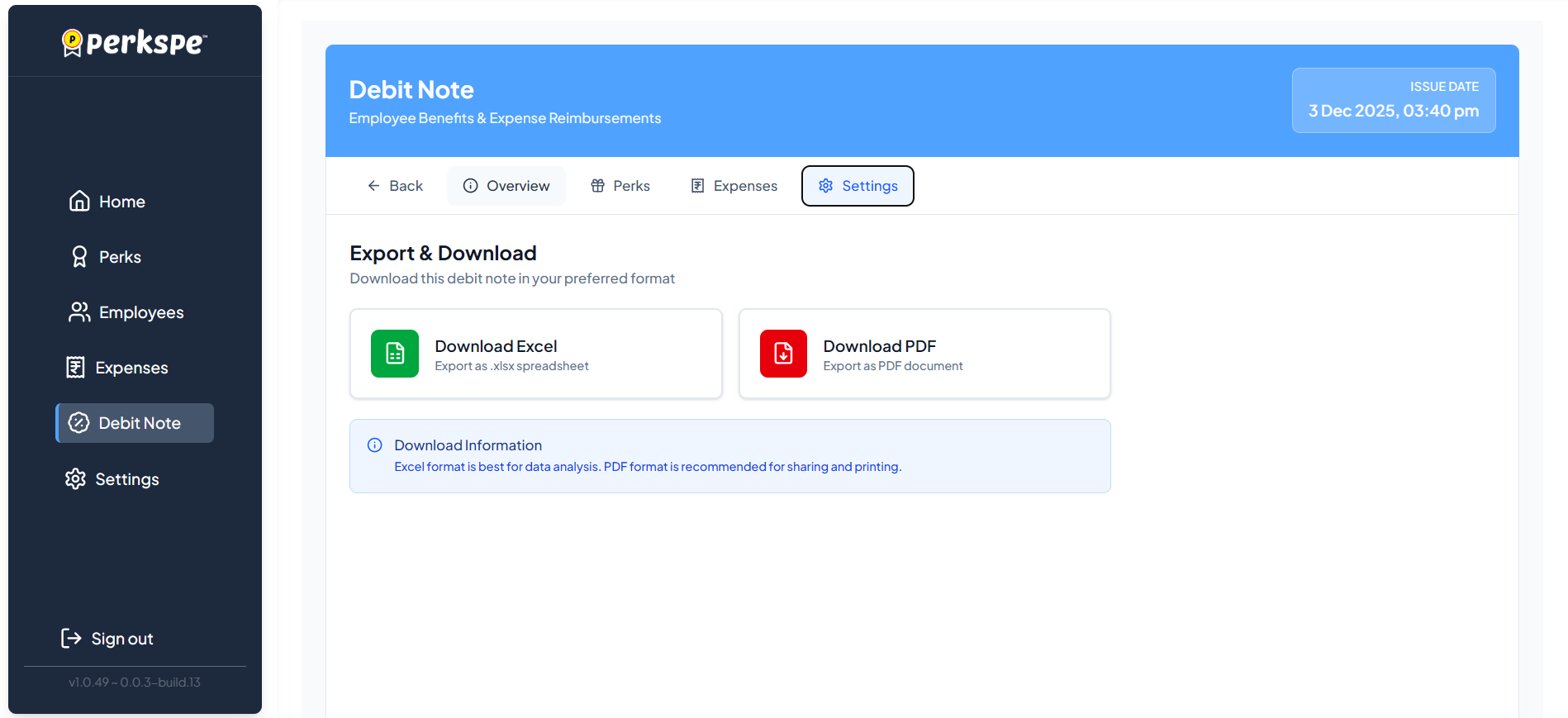
- Download Excel: Best for data analysis and importing into accounting software.
- Download PDF: Best for sharing, printing, and official record-keeping.